
Somewhere right now, a finance manager is opening Mesh to answer a question their CFO just asked in Slack. They know the answer is in there. They just have to go find it.
It might be “how much did we spend on AI last quarter, broken down by team?” Or “which cards have transactions that are still missing receipts?” Or “show me all flights that are stuck in the approval process.”
The answer exists. It’s in Mesh. Getting to it means logging in, navigating to the right report, applying filters, maybe exporting to a spreadsheet. Not hard, just slow. And for a finance team that gets questions like this dozens of times a month, the friction adds up.
Today, that changes.
Mesh now connects directly to your AI assistant
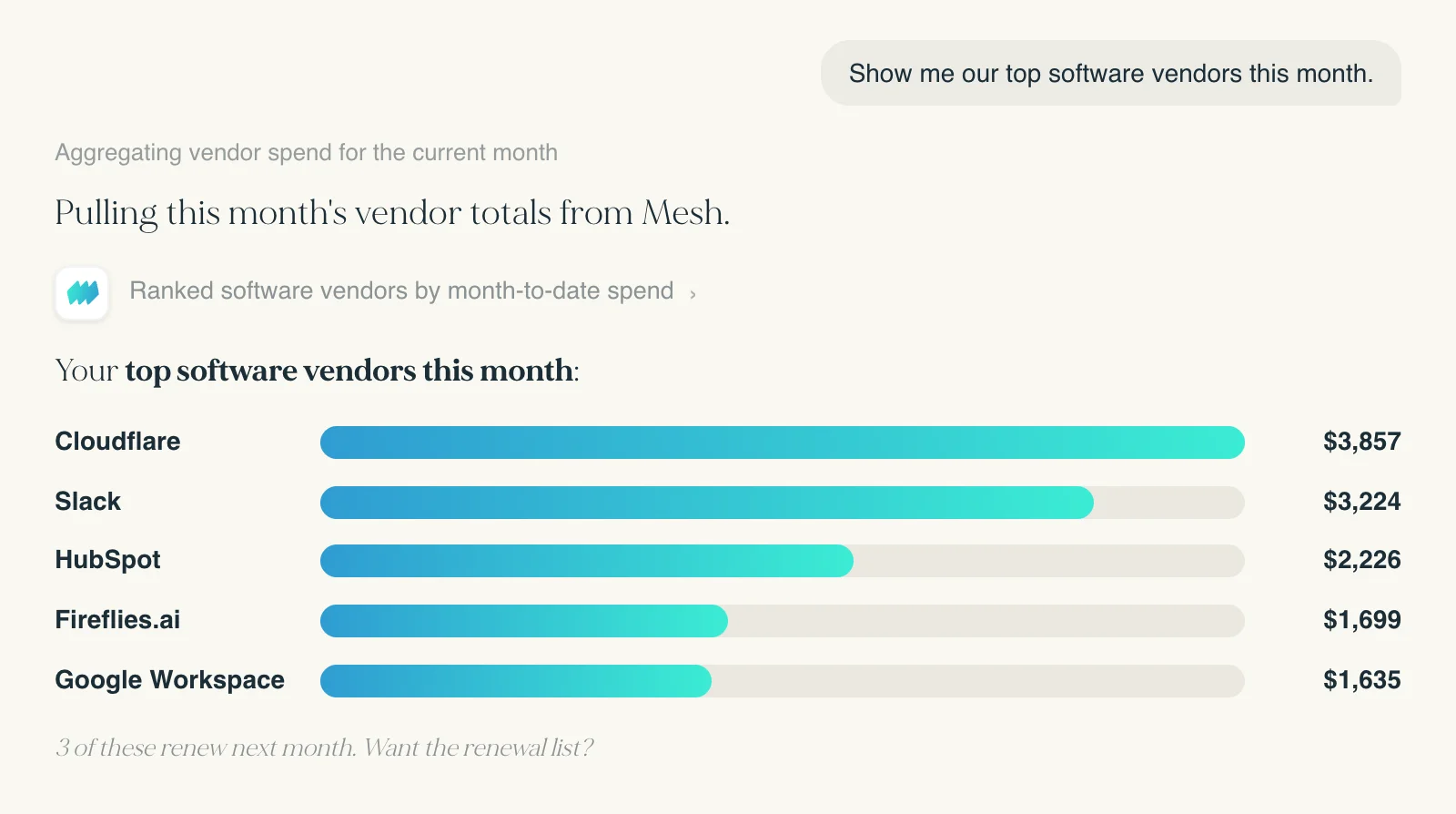
We are launching today our MCP (Model Context Protocol) server, which means your AI assistant (Claude, ChatGPT, Gemini) can now connect directly to your Mesh account and answer questions about your company’s spend in real time.
No exports. No dashboards. No switching tabs.
You ask the question. Your AI assistant pulls the data from Mesh and gives you the answer.
What you can ask today
Once connected, your AI assistant has direct access to your Mesh data. Some examples of what finance teams are using it for:
Spend analysis “Compare our SaaS spend this quarter to last quarter. What changed?” “Which departments are running over budget on travel this month?” “Show me the top 10 vendors by spend in Q2.”
Transaction queries “Find every transaction over $500 from the last 30 days that hasn’t been reconciled.” “Pull all card activity for [employee name] in June.” “Which merchants did we spend the most with last month?”
Card and team visibility “Which virtual cards are active but haven’t had any transactions in 60 days?”. “What spend categories do we have configured?”
These are real questions with real answers, pulled directly from your live Mesh data, not a cached export.
Your permissions stay exactly as they are
Connecting to Mesh through your AI assistant doesn’t change who can see what. Every action respects your existing Mesh role. If you can’t see a transaction in the Mesh app, you can’t see it through the AI connection either.
This is just the start
Right now the MCP server is focused on querying and analyzing your data. We’re building toward a world where you can take action from inside your AI assistant too: submitting expenses, uploading receipts, requesting virtual cards, and routing approvals, all without opening the Mesh app. As new capabilities go live, they appear automatically. There’s nothing to install or update.
How to connect
Head over to our Help Center to see how to connect.
For 20 years, software made T&E manageable. The receipts still needed chasing. The reports still needed running. The answers were in the system, they just required work to get out.
That’s the thing we’re changing. T&E should be invisible: not just easier to manage, but something that doesn’t require managing at all. Your data available when you need it, in the tools you’re already in, without anyone having to go looking for it.
This is one step toward that world.
-
Get the latest blogs from Mesh by subscribing to our newsletter
Manage Your Payments With Full Control & Visibility